

You’ve encountered the dreaded “Updating Failed: The Response Is Not a Valid JSON Response” error in WordPress. You’re not alone. It’s a common issue. Let me guide you through diagnosing this problem based on my experience with numerous new client facing this very problem.
Check Your Permalinks
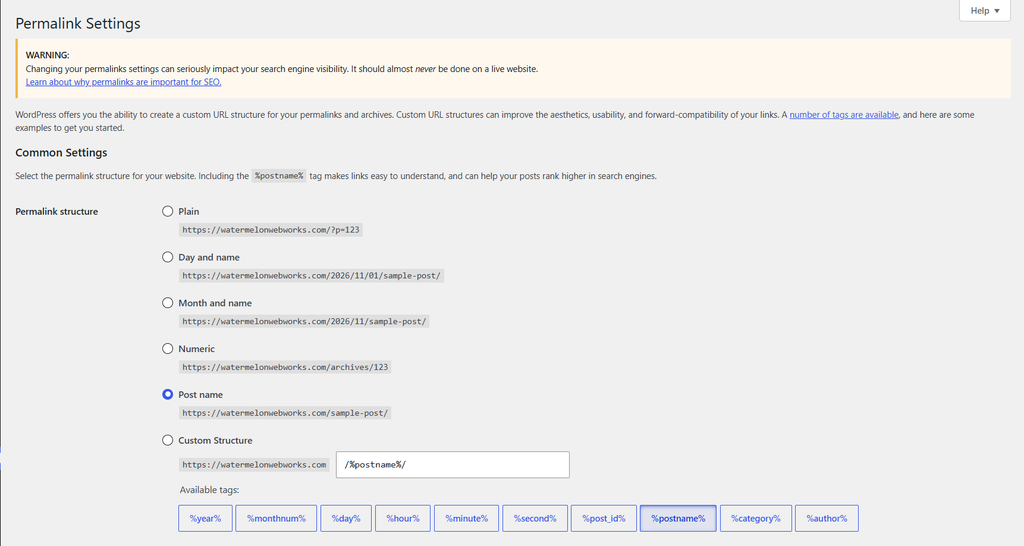
We always start with permalinks. A misconfigured permalink structure can throw your JSON responses out of whack. Head to Settings > Permalinks in your WordPress dashboard. Simply hit Save Changes without altering anything. This refreshes the permalink settings and often resolves the issue. If it’s still giving you grief, let’s dig deeper.
Inspect the .htaccess File
The .htaccess file is notorious for causing JSON errors due to rewrite rules gone awry. Access your site’s root directory via FTP or your hosting provider’s file manager. Backup your .htaccess before making changes. If you see anything unusual or custom directives that might interfere with JSON responses, revert them back to the default WordPress structure. If you’re unsure, a WordPress expert can help you navigate this.
Deactivate Plugins and Themes
Plugins and themes are often the culprits behind rogue JSON errors. Deactivate all plugins and switch to a default theme like Twenty Twenty-Three. Check if the error persists. If it’s gone, reactivate your plugins one by one, testing each time to pinpoint which one is causing the issue. The same logic applies to themes. We recommend performing this step on a staging site so that it doesn’t disrupt your live visitors.
SSL and Mixed Content Warnings
Improper SSL setups can also lead to JSON errors. Ensure your site is served entirely over HTTPS. We like CloudFlare for this. Mixed content warnings, where some resources are loaded over HTTP, can break JSON responses. Use tools like Why No Padlock to scan your site for mixed content issues. Fix these to restore JSON functionality.
Server Configuration and Security Plugins
Sometimes, the server itself is the issue. Check with your hosting support to ensure your server settings aren’t blocking REST API requests. Security plugins can also interfere by blocking requests they perceive as threats. Review any security settings or logs to identify false positives. I’ve seen many cases where aggressive security settings caused more harm than good.
If you’re serious about a reliable WordPress experience, consider having Watermelon conduct a comprehensive site audit for you. From performance tuning to ensuring your server and site are configured correctly, our WordPress development services cover it all.
If your JSON problem persists, or if you want to prevent such issues from derailing your site in the future, get in touch with our team. Whether it’s a deep dive into your setup or ongoing support, we have the expertise to keep your WordPress site running smoothly.