
We do not sell pretty WooCommerce setups that fall apart the first time traffic spikes or a renewal job misfires. We build the underlying system so it can hold up when actual revenue is on the line. For Portland businesses, that usually means cleaning up plugin sprawl, fixing checkout fragility, making the data model behave, and getting honest about what is slowing the store down. If you’re local, visit our Portland WooCommerce development page for more on how we help nearby businesses build and improve WordPress ecommerce stores.
Usually by the time we get called, nobody is asking for a prettier cart button. They are asking why checkout suddenly feels fragile, why one plugin update made three unrelated things act weird, or why the store that worked fine at launch now feels like it needs a careful apology before every busy sales day. We have inherited stores where the visible problem was “the site is slow,” but the actual problem was years of small decisions stacked together: abandoned plugins, custom code nobody wanted to touch, hosting that was doing its best, and business logic hidden in places it never should have lived. That is the WooCommerce work that matters. Not decoration. Untangling.
If You’re Here, It’s Probably Because:
- Your WooCommerce store is slow and it is hurting conversions.
- Checkout errors are costing you real revenue.
- Plugin conflicts keep breaking production.
- Subscriptions or renewals are failing in ways that make everyone nervous.
- Your last developer left behind a pile of technical debt.
We fix inherited WooCommerce systems for businesses that cannot afford instability.
Request a WooCommerce Architecture Review
If your store is slow, unstable, or quietly leaking revenue, we’ll identify the technical bottlenecks and outline practical next steps. Not vague advice. Not hand-waving. Actual engineering priorities.
You’ll speak directly with a senior developer. No sales call. Just technical clarity.
Navigate This Resource
- What Professional WooCommerce Development Actually Is
- Why WooCommerce Still Makes Sense for Businesses That Want Control
- Performance Decisions That Affect Conversions
- How WooCommerce Stores Orders, Customers, and Products
- Checkout Systems That Protect Revenue
- Subscription Migration Without Breaking Renewals
- Customer Engagement That Increases Lifetime Value
- Technical SEO for Larger WooCommerce Catalogs
- Integrations and Automation with the WooCommerce API
- When Magento to WooCommerce Actually Makes Sense
- Frequently Asked Questions
Scaling WooCommerce, Minus the Fairy Tales
We work with established retailers and growth-stage ecommerce teams who rely on WooCommerce as revenue infrastructure, not a side project somebody set up a few years ago and then sort of kept alive.
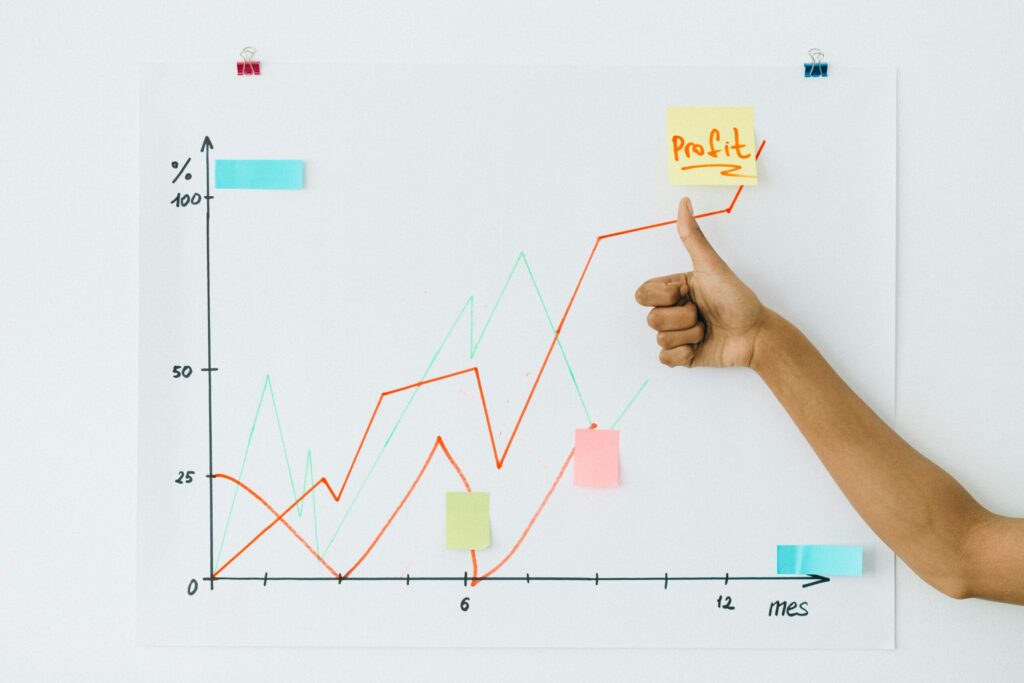
It is the process of building an e-commerce system that holds up under load. That means clean data models, disciplined plugin usage, caching that is actually configured correctly, and a checkout flow that does not collapse the first time something slightly unexpected happens. It is architecture and maintenance, not theme shopping.
Let’s just say the quiet part out loud. WooCommerce is one of the most capable ecommerce platforms available, but it is completely indifferent to bad decisions.
Built casually, WooCommerce becomes fragile fast. Built properly, it becomes a system you own, control, and scale without paying a platform tax every time revenue grows.
We inherit broken stores all the time, and the reasons are usually pretty boring. Cheap hosting. Bloated themes. Plugin sprawl. Nobody thinking past launch day. That is the stuff that quietly turns into lost revenue later.
This is the parent resource for our WooCommerce work: performance engineering, data architecture, checkout systems, subscription continuity, customer engagement, technical SEO, and API integrations.
Why WooCommerce Still Makes Sense for Businesses That Want Control
Platforms trend, get acquired, shift pricing, or quietly change the rules. WooCommerce is still compelling for one simple reason: it runs on infrastructure you control.
- Data ownership. Products, customers, and orders live on systems you control.
- Customization without permission. Pricing rules, shipping logic, and internal workflows are limited by code, not platform policy.
- No success penalty. More revenue does not automatically mean more platform fees.
That freedom comes with responsibility, obviously. WooCommerce does not save you from sloppy architecture. It rewards discipline and punishes shortcuts. Which, honestly, is part of why we like it.
Core Capabilities: The Parts That Usually Matter Most
This hub links to the deeper systems that tend to matter most once a store is doing real volume. Each section below points to an in-depth resource, but here is the short version of what actually matters and why.
Performance and Speed
Slow stores lose money. Not theoretically. Actually. Every unnecessary query, oversized asset, bloated plugin, or badly handled cache layer chips away at conversion rates.
We have seen plenty of stores where the theme took the blame because it was the part everyone could see. Fair enough. But once we got under the hood, the real trouble was usually less glamorous: autoloaded options filling up the database, plugins firing scripts on pages where they had no business firing, product queries dragging through too much metadata, or a cache plugin that was installed but not meaningfully configured. The theme was standing there looking guilty, but the database was doing most of the mischief in the basement.
If you are running a high-order store, performance is rarely a theme problem. It is usually a data problem, or a hosting problem pretending to be a theme problem.
WooCommerce Data Architecture
Scaling WooCommerce is mostly about understanding how orders, customers, products, and metadata are stored, queried, and indexed. When stores hit a wall, it is often because the data model has been abused by plugins, reporting layers, or too much uncontrolled meta.
This is where things get technical, yes, but also expensive if ignored. The data model determines whether a store stays fast as order volume grows.
Checkout Architecture
Most revenue loss happens at checkout. Defaults are convenient, not optimal. Payment gateways, validation logic, taxes, shipping conditions, and error handling all matter more than people think.
We customize checkout flows to remove friction, handle ugly edge cases, and prevent abandoned carts caused by vague payment errors or half-broken integrations.
The hardest checkout problems are often the ones that do not fail neatly. One customer gets stuck. Another sails through. One browser has a stored session that creates a weird loop. A payment gateway throws a vague error that sounds like the customer did something wrong, when really the integration is choking on an edge case. We have seen checkout issues where the business only knew something was wrong because customers started writing in, which is exactly backwards. Checkout should not depend on your most patient customers becoming your QA department.
Subscription Migration and Recurring Revenue
Recurring revenue is where WooCommerce projects either mature or implode. Subscription migration is not just products and users. It is payment tokens, renewal schedules, billing history, and continuity.
We focus on subscription continuity so renewals do not break, customers do not get double-charged, and recurring revenue stays predictable during a migration.
Subscription systems are supposed to be boring. That is the whole point. When they become exciting, it is usually the wrong kind of exciting. A renewal job misfires quietly. A payment token does not survive a migration cleanly. A billing schedule gets shifted just enough to create a support mess. Nobody notices right away because the storefront still looks fine. Then the accounting starts looking strange, customers start asking questions, and everyone realizes the “small migration detail” was actually the revenue engine. This is why we treat subscription work like infrastructure, not content entry.
Customer Engagement and Retention
Traffic is expensive. Margin lives in repeat buyers. WooCommerce engagement is not a pile of popups and coupon chaos. It is segmented email, lifecycle automation, review collection, and post-purchase flows that feel like part of the store rather than an afterthought.
We build customer engagement systems that increase lifetime value without turning the storefront into a carnival of discount widgets.
Technical SEO for WooCommerce
WooCommerce is not bad for SEO. But larger catalogs do create real technical problems: duplicate URLs, broken canonicals, thin categories, parameter mess, and bloated sitemaps.
Done right, product pages, category structure, internal linking, and canonical logic can become a reliable acquisition channel instead of a permanent mystery.
Integrations, JSON, and REST API
Modern WooCommerce stores increasingly rely on the WordPress REST API for ERP sync, custom dashboards, headless storefronts, inventory workflows, and other integrations that quietly become mission-critical.
If you are building real WooCommerce integrations, API discipline matters. Authentication. Rate limits. Schema consistency. Defensive validation. This is where silent failures like to hide.
We have worked on plenty of WordPress and WooCommerce systems where the storefront was only one piece of the puzzle. Orders needed to talk to forms. Member records needed to line up with payments. Internal workflows needed reliable exports, custom dashboards, or API calls that did not fall over because one field came back empty. These integrations rarely announce themselves as “architecture problems” at the beginning. They start as a little bridge between two systems. Then the business begins relying on that bridge every day, and suddenly validation, logging, authentication, and clean data structures matter quite a lot.
Maintenance and Security
WooCommerce processes payments. That means updates, security patches, compatibility testing, and proactive monitoring are not optional. Ignoring them eventually turns into downtime or revenue loss, usually at the worst possible time.
Maintenance sounds boring until a routine vulnerability notice turns into a real investigation. We have seen ecommerce sites where a scan surfaced old malware remnants, abandoned code, or a vulnerable extension that had been sitting quietly in the stack for far too long. Sometimes the scary part is not a dramatic active compromise. It is discovering how much old risk was hiding in plain sight because nobody had been responsible for looking carefully. Ecommerce maintenance is not “click update and hope.” It is testing, patching, scanning, and knowing which warnings need immediate attention.
The Magento Migration Question
A lot of WooCommerce projects start with the same basic question: should we keep fighting Magento, or is it time to move? Magento can still make sense in narrow cases, but for many businesses it has become expensive, slow to work on, and heavier than it needs to be.
We have been in the weeds on Magento systems where the platform itself was not exactly the villain, but the weight of the ecosystem had become the problem. A documentation extension changes how files are stored. Media paths that worked for years stop resolving after an upgrade. Security patches become urgent. A small improvement requires a larger project than anyone expected. Magento can still be the right tool, especially for certain complex catalogs and enterprise workflows. But sometimes it starts to feel like using a forklift to move a basket of peaches. Powerful, yes. Pleasant, no.
| Feature | WooCommerce | Magento (Adobe Commerce) |
|---|---|---|
| Total Ownership Cost | Low to Mid | High |
| Developer Availability | Large | Limited |
| Flexibility | High | Complex |
| Time to Launch | Weeks | Months |
Years of migrations have made the trade-offs pretty clear. A deeper breakdown lives in our Magento vs WooCommerce comparison.
Frequently Asked Questions
Can WooCommerce handle large catalogs?
Yes, when it is built correctly. High-volume stores require disciplined product data, proper indexing, real caching, and an environment sized for load. When WooCommerce “can’t scale,” the problem is almost always architecture.
Can WooCommerce support subscriptions and migrations from other platforms?
Yes. WooCommerce can support complex subscription models, including Stripe and PayPal token migration, renewal continuity, and billing history preservation. Professional migrations focus on avoiding double billing and failed renewals while keeping recurring revenue stable.
How much does professional WooCommerce development cost?
Serious builds start in the thousands, not the hundreds. The cost reflects custom functionality, migration complexity, and the engineering required to make sure the store holds up when it matters.
Do you use pre-made themes?
Rarely. Most marketplace themes ship with too many features, too many dependencies, and too much visual baggage. Lean starter themes or custom builds usually perform better and stay easier to maintain.
From Strategy to Production
This hub explains the architecture. The implementation lives in our professional development process for businesses that depend on WooCommerce to generate predictable revenue and do not have time for brittle systems.

Watermelon Web Works has been helping clients achieve revenue goals for more than 20 years. We are a US-based team of senior developers and architects who prefer clean code, durable systems, and direct advice over marketing hype. A lot of our best work starts after another team has already launched something, patched it, patched the patch, and quietly backed away from the mess. We are comfortable stepping into inherited WooCommerce, WordPress, and Magento systems, finding the real failure points, and giving businesses a path forward that does not depend on wishful thinking.
Related Guides and Resources
- Stop WooCommerce Email Deliverability Failures Before Your Customers Stop Buying
- I Finally Fixed a WooCommerce Slow Add to Cart Problem, and Now I Need a Beer
- WooCommerce Conversion: Measuring What Works with E-commerce
- The Power of Subscriptions in WordPress – E-commerce
- Protected Member Areas with WooCommerce Subscriptions & Notifications
- Pay via Paypal, Venmo, GooglePay, ApplePay
- Link Gravity Forms with WooCommerce Products Easily
- How to Prepare WooCommerce for Collecting Sales Tax – E-commerce
- How to Optimize WooCommerce
- Expand WooCommerce Marketplace with WC Marketplace Plugin
- 3 easy Ways to Increase Your WordPress WooCommerce Sales
- How Long to Build a Magento or WordPress Website?
- WooCommerce Speed Optimization & Hosting Stack Experts
- WooCommerce Expert Development & Customization Custom WooCommerce development for fast, secure, high-converting online stores.
- WooCommerce Checkout Errors Cost Portland Businesses Thousands Every Month A closer look at how checkout issues quietly drain revenue.
- Why WordPress Maintenance Is Essential for Preventing Subscription Renewal Failures Why ignored maintenance turns into broken recurring revenue.
- How to Audit WooCommerce Performance Bottlenecks Before Your Next Traffic Spike A practical guide to finding the slow parts before they cost you sales.
- Don’t Rebuild Your WooCommerce Store Until You Read This How to tell whether your store needs a rebuild, a repair, or just less chaos.
- Migrating from Magento to WooCommerce: A Case Study A real-world look at moving away from Magento without breaking the business.
- Avoid PayPal for WooCommerce Subscriptions Why PayPal can become a liability for subscription-based stores.