

I’ve seen WooCommerce email problems create more confusion than almost any other “small” technical issue on an ecommerce site.
The store itself can be working. Checkout can be working. Orders can be sitting there in WooCommerce exactly as they should. But if the customer never receives the order confirmation, the store feels broken. If the store owner never receives the new order notification, the business process actually is broken.
I worked on one WooCommerce store where this had been happening quietly for a while. Customers were placing orders, but some of the confirmation emails were disappearing into the void. A few were going to spam. A few were delayed. Some never arrived at all. The client didn’t describe it as an “email deliverability issue” at first, because normal people don’t talk like that. They just said, “Customers keep saying they didn’t get their order emails.”
That’s usually where this starts.
WooCommerce Wasn’t Really the Problem
WooCommerce often gets blamed first because it’s the part of the system everyone can see. But in a lot of cases, WooCommerce is doing its job. It generates the order email. WordPress tries to send it. Then the message passes into a much messier world of server mail settings, DNS records, spam filters, sender reputation, and receiving mail servers that may or may not trust what they’re seeing.
In this particular case, the order emails were being generated correctly. The problem was further downstream. The site was relying on the server’s default PHP mail setup, and the domain’s email authentication records weren’t fully lined up. So from the outside, some of those messages looked a little suspicious, even though they were legitimate customer emails.
That’s the slightly maddening part. From inside WooCommerce, everything can look fine. But from the customer’s inbox, the experience can feel random and unreliable.
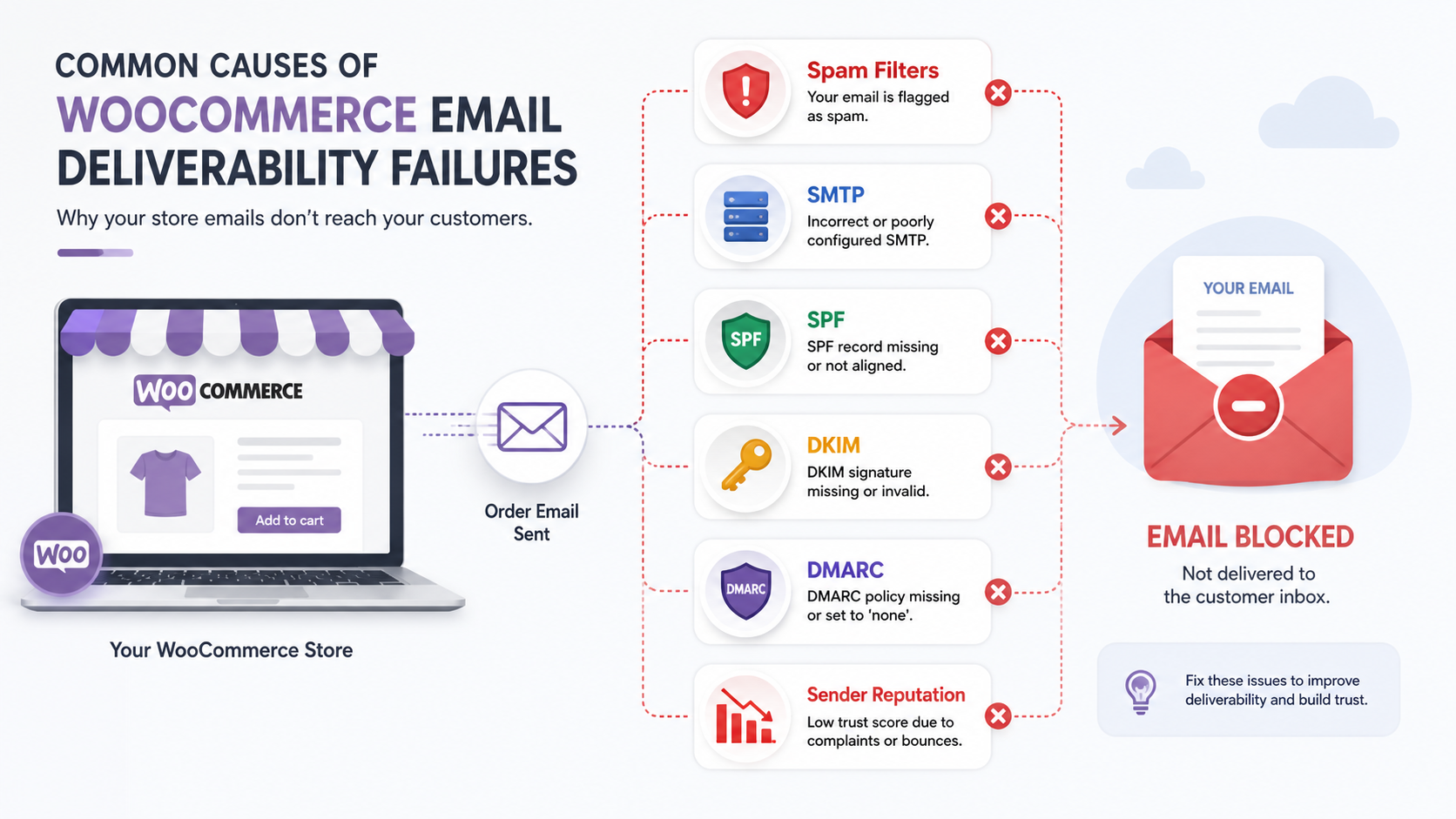
Common Causes of WooCommerce Email Deliverability Failures
When I troubleshoot WooCommerce email delivery, I usually start with a few repeat offenders:
- Spam filters: The emails may be sent successfully, but the receiving mailbox doesn’t trust them enough to put them in the inbox.
- Weak or missing DNS authentication: SPF, DKIM, and DMARC records help prove that your store is allowed to send mail for your domain.
- Default server mail: PHP mail can work, but it’s not the setup I want handling important WooCommerce order emails long term.
- Incorrect SMTP configuration: A half-configured SMTP plugin can be worse than no SMTP plugin, because it creates the illusion that the problem has already been fixed.
- Blacklisted or low-reputation server IPs: If your hosting server has a poor email reputation, your store emails can get punished for problems you didn’t personally cause.
- Plugin or template conflicts: Sometimes the email is technically sent, but a broken customization, conditional email plugin, or malformed template causes inconsistent behavior.
What I Actually Check First
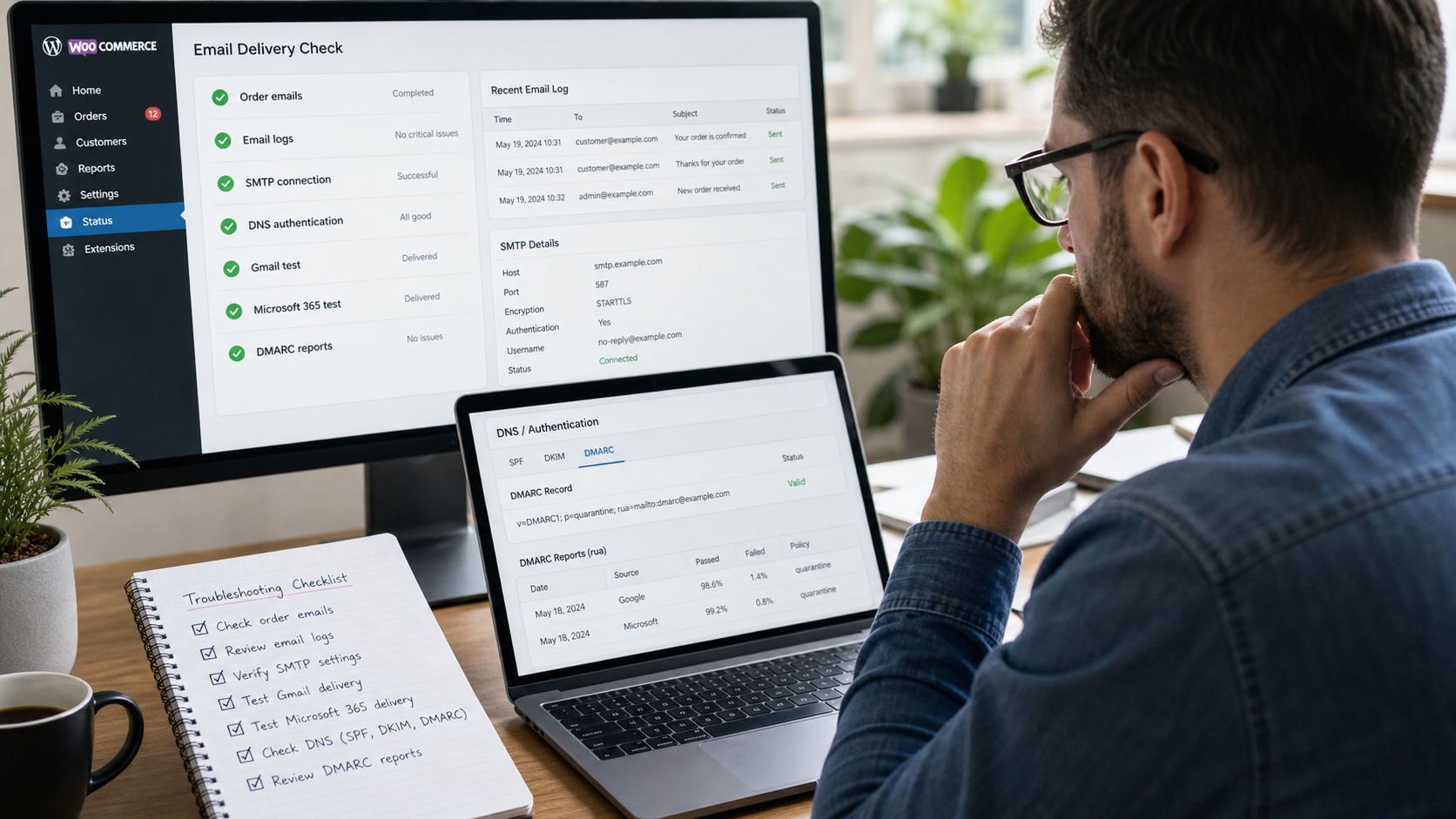
I don’t like guessing on these. I want to know whether WooCommerce generated the email, whether WordPress attempted to send it, whether the mail server accepted it, and whether the receiving side rejected, delayed, or filtered it.
That usually means adding email logging, checking recent order notes, reviewing SMTP logs, and testing different email destinations. I’ll often test with Gmail, Microsoft 365, and the client’s own business email address, because each system can behave differently.
In the store I mentioned earlier, that testing made the pattern pretty clear. WooCommerce was sending the messages, but the delivery path wasn’t trustworthy enough. The fix wasn’t to rewrite WooCommerce. It was to give the store a proper email delivery system.
How We Improve WooCommerce Email Deliverability
1. Verify the Domain Properly
The first thing I want in place is proper domain authentication. That usually means SPF and DKIM at minimum, and often DMARC as well.
These DNS records tell receiving mail servers that your WooCommerce store is allowed to send email on behalf of your domain. Without them, order confirmations and customer emails can look like spoofed messages, even when they’re completely legitimate.
We also like having DMARC reporting in place, even if we’re starting with a gentle policy. It gives us visibility into who is sending mail for the domain, which systems are passing authentication, and whether anything suspicious is happening in the background.
2. Move Away From Default PHP Mail
For a serious WooCommerce store, I don’t want important order emails relying on the server’s default mail function. It may work some of the time, but “some of the time” isn’t good enough when the email contains order confirmations, password resets, shipment updates, or customer service replies.
We usually connect the site to a dedicated SMTP or transactional email provider. Depending on the client’s setup, that might be something like SendGrid, Mailgun, Brevo, Postmark, Amazon SES, or the client’s existing Microsoft 365 or Google Workspace account.
We often like Brevo for this kind of setup because it’s free up to 300 emails per day, which is more than enough for many small and mid-sized WooCommerce stores. It also gives the site a cleaner sending path than basic server mail, without adding a big monthly cost right away.
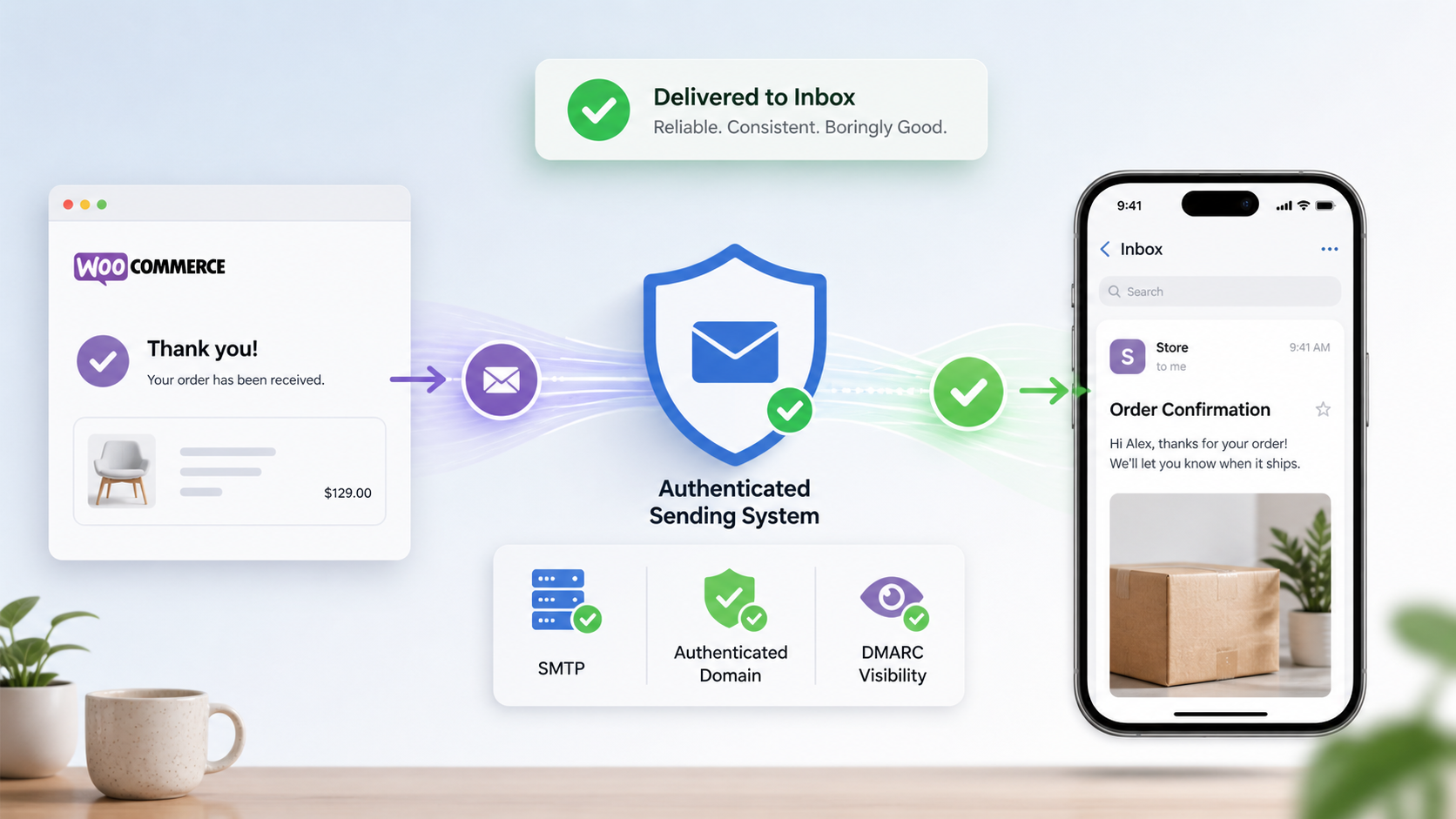
The exact tool matters less than the principle: WooCommerce emails should be sent through a system that is authenticated, logged, and built for reliable delivery.
3. Add Email Logging and DMARC Visibility
Email logging is one of those unglamorous things that saves a lot of time later.
When a customer says, “I never got the email,” we can check whether WooCommerce generated it, when it was sent, who it was sent to, and whether there were obvious errors. That doesn’t always prove what happened after it left the site, but it turns a vague complaint into something we can actually investigate.
We also usually use Cloudflare DMARC Management for tracking domain-level email authentication. It’s free, and it helps show whether the domain’s mail is passing SPF, DKIM, and DMARC checks across different sending sources.
That matters because a WooCommerce store may not be the only thing sending mail from the domain. There may be a newsletter platform, a CRM, a help desk, Microsoft 365, Google Workspace, or some old plugin nobody has thought about in years. DMARC reporting helps sort that out.
4. Test Real WooCommerce Events
I don’t just send one generic WordPress test email and call it done. A test email only proves that one test email worked.
For ecommerce work, our internal policy is to test actual store events. Not just one generic WordPress test email. New order notifications. Customer order confirmations. Password resets. Processing order emails. Completed order emails. Failed order emails, if those matter to the store’s workflow.
Sometimes one type of email works while another one fails because of a template issue, plugin condition, recipient rule, or email customization. That’s annoying, but it’s also very findable if you test the real flows.
And honestly, this is where a lot of “we fixed email” projects fall short. Someone installs an SMTP plugin, sends one test message to themselves, and moves on. But WooCommerce has its own email events, its own templates, and its own business logic. Those need to be tested directly.
5. Watch Bounce Rates and Sender Reputation
If a store sends marketing emails from the same domain, I also want to know whether old lists, bad addresses, or aggressive campaigns are hurting the domain’s reputation.
Transactional emails and marketing emails are different animals, but they can still affect how mailbox providers view your domain. A messy email list can make legitimate WooCommerce messages harder to deliver.
This is especially important when a store has been around for years. Old customer lists, imported contacts, abandoned newsletter tools, and past email campaigns can leave a little residue. Not always, but often enough that it’s worth checking.
Why This Matters More Than It Seems
Email deliverability doesn’t feel urgent until something goes wrong. Then suddenly it affects everything.
A customer doesn’t get an order confirmation, so they contact support. The store owner doesn’t get the new order notification, so fulfillment is delayed. A password reset email doesn’t arrive, so someone can’t log into their account. None of those problems look dramatic by themselves, but together they make the store feel unreliable.
And that’s the part Watermelon cares about most. A WooCommerce store can be technically “working” while still quietly damaging customer trust.
It can also create a weird support burden. The customer thinks the store ignored them. The store owner thinks WooCommerce failed. The developer has to trace a problem that may have happened after the message already left WordPress. Nobody has a clean answer unless the system has been set up with proper logging and authentication from the start.
Keeping WooCommerce Email Reliable
Once the proper SMTP service, DNS records, DMARC visibility, and logging were in place for that client, the mystery mostly disappeared. We could see what was being sent. The mail was authenticated properly. Customers started receiving the order emails they expected. The client stopped having to wonder whether WooCommerce had randomly failed again.
That’s usually the goal with this kind of work. Not drama. Not a giant rebuild. Just taking a fragile, unclear system and making it boringly reliable.
If your WooCommerce store is having email delivery problems, it’s worth treating that as a real operational issue, not just a minor annoyance. Order emails, customer notifications, password resets, and fulfillment alerts are part of the store’s core infrastructure.
For more on how we help with stores like this, take a look at our WooCommerce ecommerce services.
Keep Your WooCommerce Store Running Smoothly
Email deliverability is one piece of the larger WooCommerce reliability puzzle. Performance, checkout stability, security, plugin quality, hosting, and order workflows all matter too.
Our WooCommerce development services focus on making stores faster, more stable, and easier to trust over the long haul. If your store has started feeling fragile, slow, or weirdly unpredictable, get in touch and we can take a closer look.