
Take Control of Your Gravity Forms Notifications
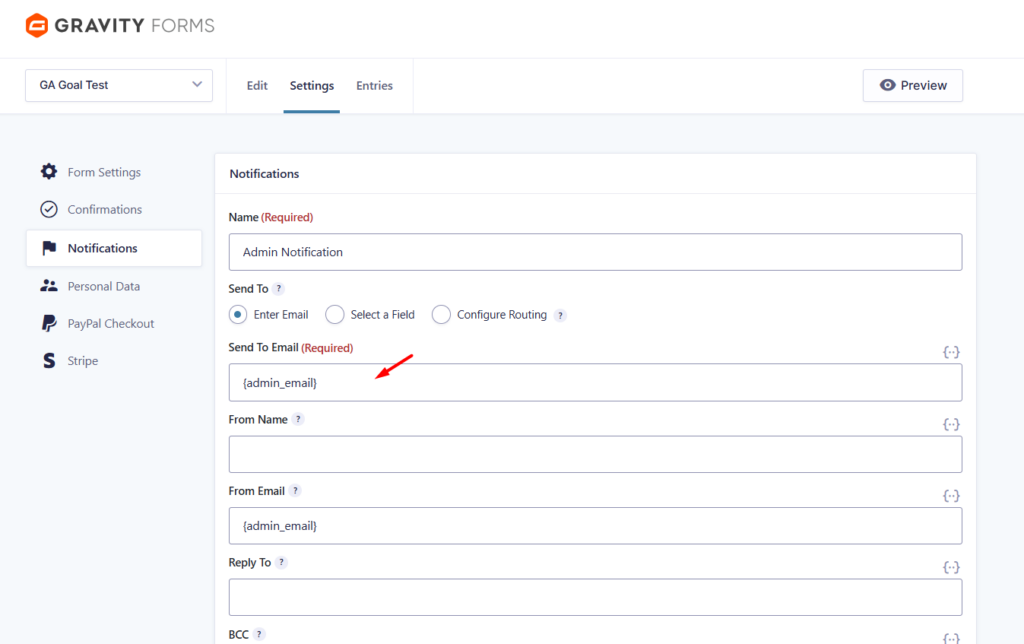
By default, Gravity Forms relies on your global WordPress site admin email whenever the {admin_email} merge tag is used in a form notification. While this works for simple sites, it quickly becomes a problem when form submissions get buried under core WordPress security alerts, plugin update notices, and new user registrations, or when a professional development firm manages the site, but a client receives the Gravity Forms emails.
Built by Watermelon Web Works, LLC, the Gravity Forms – Custom Admin Email add-on gives Gravity Forms its own dedicated, isolated admin email setting.
How It Works
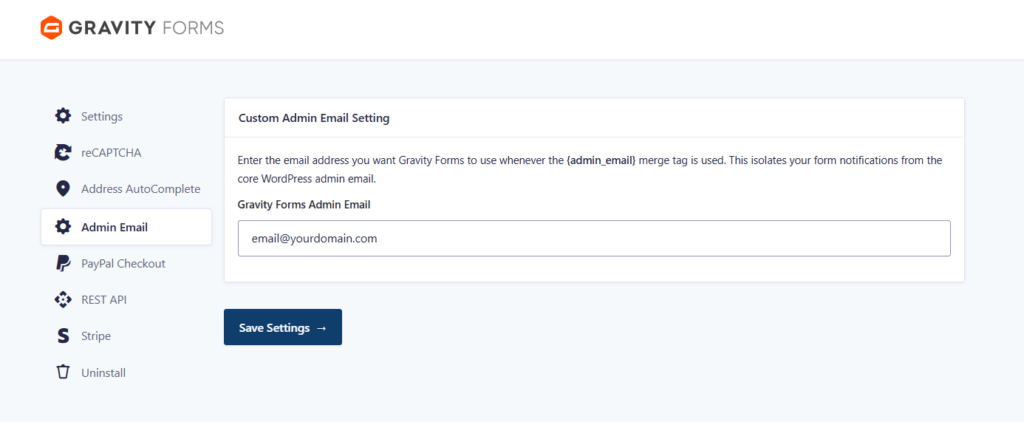
This lightweight plugin adds a native tab inside your Gravity Forms Settings menu. Simply enter your preferred departmental or support email address, and the plugin will automatically intercept and route all {admin_email} merge tags to that address instead.
- Global Override: Updates the To, From, Reply-To, and BCC fields dynamically.
- No Manual Edits: You don’t need to update any of your existing forms.
- Safe Fallback: If left blank, it elegantly falls back to your main WordPress admin email.
Screenshots
(Note: Replace these placeholder blocks with your actual screenshots in the visual editor!)
Installation & Usage
- Download the plugin
.zipfile using the button below. - In your WordPress dashboard, navigate to Plugins > Add New > Upload Plugin.
- Upload the zip file and click Activate.
- Navigate to Forms > Settings > Admin Email.
- Enter your desired email address and click save. That’s it!